
A weak Prius key battery can turn a routine errand into a small headache fast. One day the fob works from across the parking lot, the next day you are pressing buttons twice, holding the key closer to the door handle, or wondering why the car suddenly will not respond the way it usually does.
Toyota’s owner manuals for Prius models make a few points very clear: coin-cell batteries do wear out after a relatively short service life, smart key range can shrink before total failure, and the correct replacement battery depends on the key type, not only on the car name.
For most Prius owners, replacing the battery is a simple job that takes only a few minutes, provided you buy the right coin cell and open the fob carefully.
Toyota manuals for Prius-family vehicles commonly specify CR2032 for smart key systems and CR2016 for certain non-smart key versions, which is why checking your exact fob matters before you buy anything.
Prius Key Battery Types By Fob Style
| Prius Key Type | Common Battery Type | Typical Situation |
| Smart key fob | CR2032 | Push-button start, proximity locking/unlocking |
| Non-smart remote key | CR2016 | Older Prius-family versions without smart key system |
A Quick Rule Before You Buy A Battery
If your Prius starts with a POWER button and the key stays in your pocket or bag, your fob will usually take a CR2032. If your Prius uses an older remote key without smart entry, CR2016 is more likely.
Even so, the safest move is to open the fob and read the old battery label before buying a replacement.
Tools You Need Before You Start
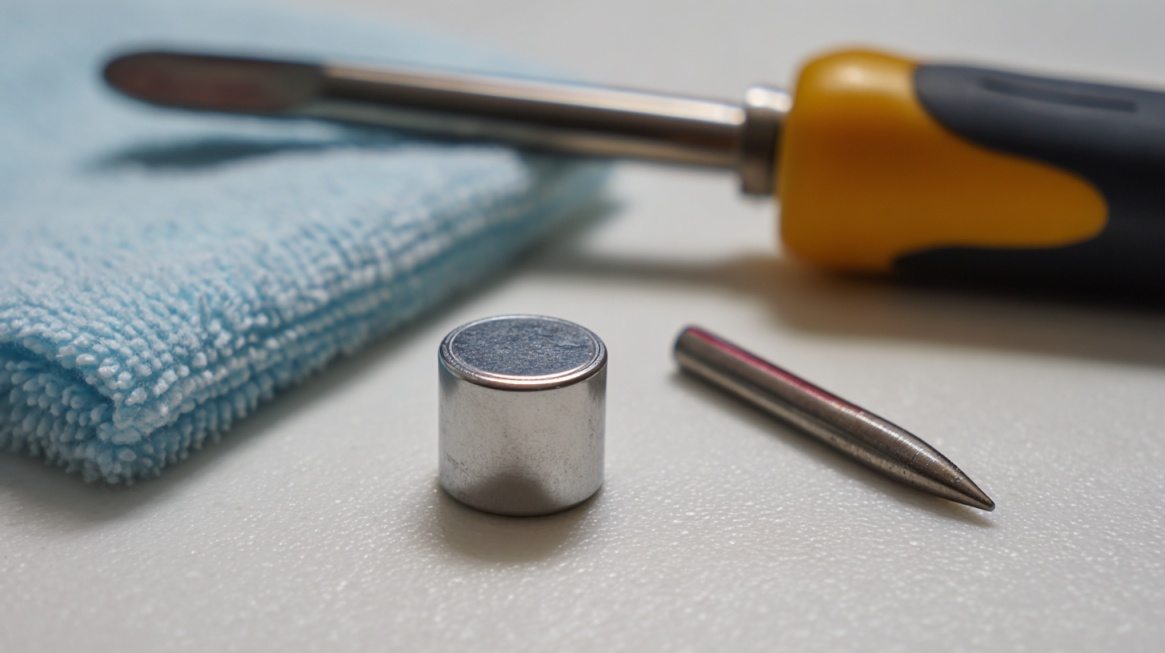
Most Prius key battery replacements require very little equipment. You’ll need a flathead screwdriver and a small flathead screwdriver. Some older Prius instructions also mention a coin protected with tape for opening an inner case cover.
- 1 new lithium coin battery, usually CR2032 or CR2016
- 1 small flathead screwdriver
- 1 soft rag, microfiber cloth, or bit of tape to protect the fob shell
- A clean table with good lighting
The rag matters more than people think. Toyota recommends covering the screwdriver tip to avoid damaging the key housing while prying the case open.
Step-By-Step: How To Change A Prius Smart Key Battery
For a modern Prius smart key, the procedure is usually very straightforward.
Step 1: Remove The Mechanical Key
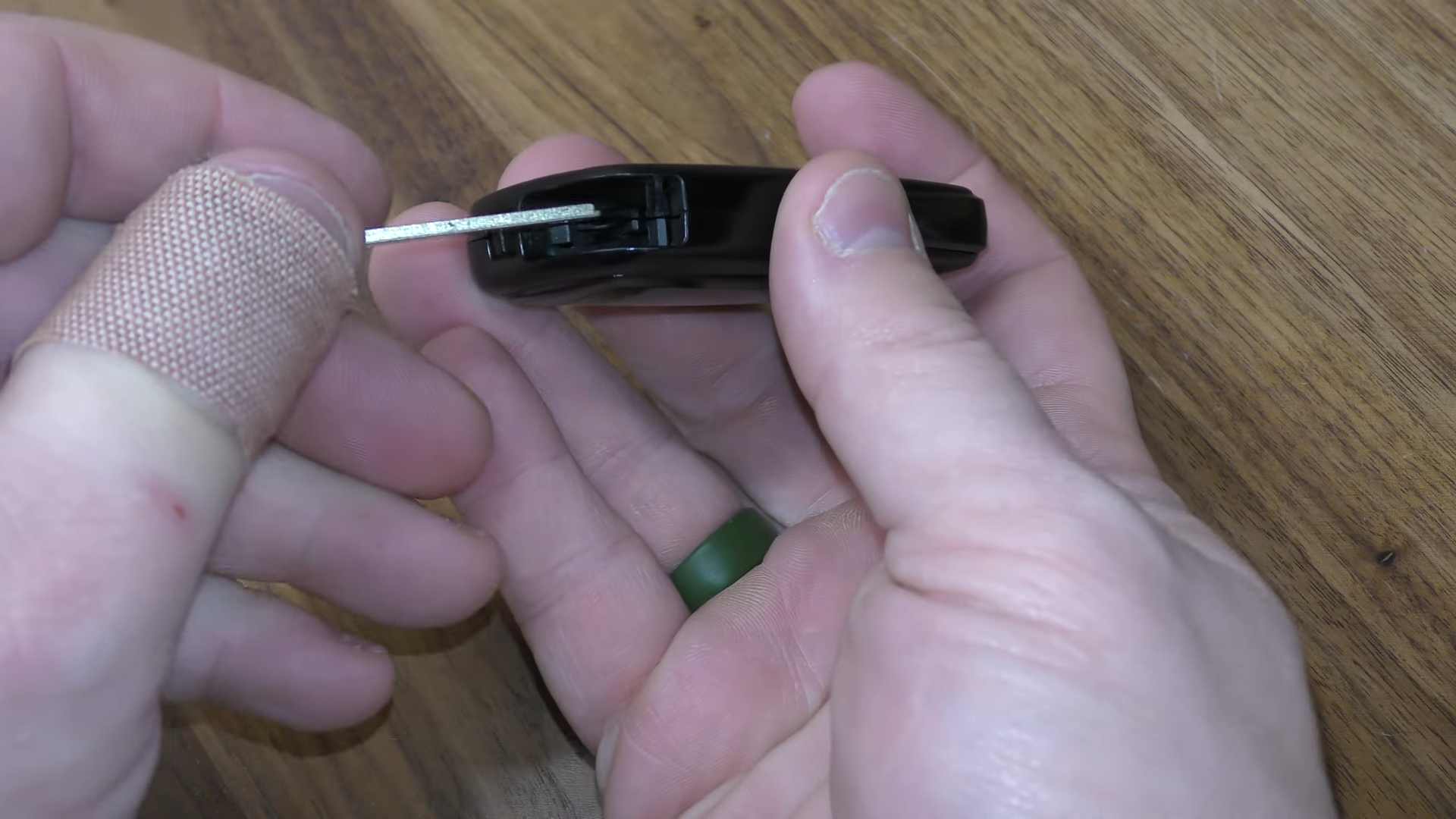
Most Prius smart fobs include a mechanical key stored inside the case. Toyota says to take out the mechanical key first.
Usually, that means pressing a small release catch on the side or back of the fob and sliding the metal key blade out.
Set the mechanical key aside somewhere visible. Losing it in the middle of the job creates a completely unnecessary second problem.
Step 2: Open The Fob Case Carefully
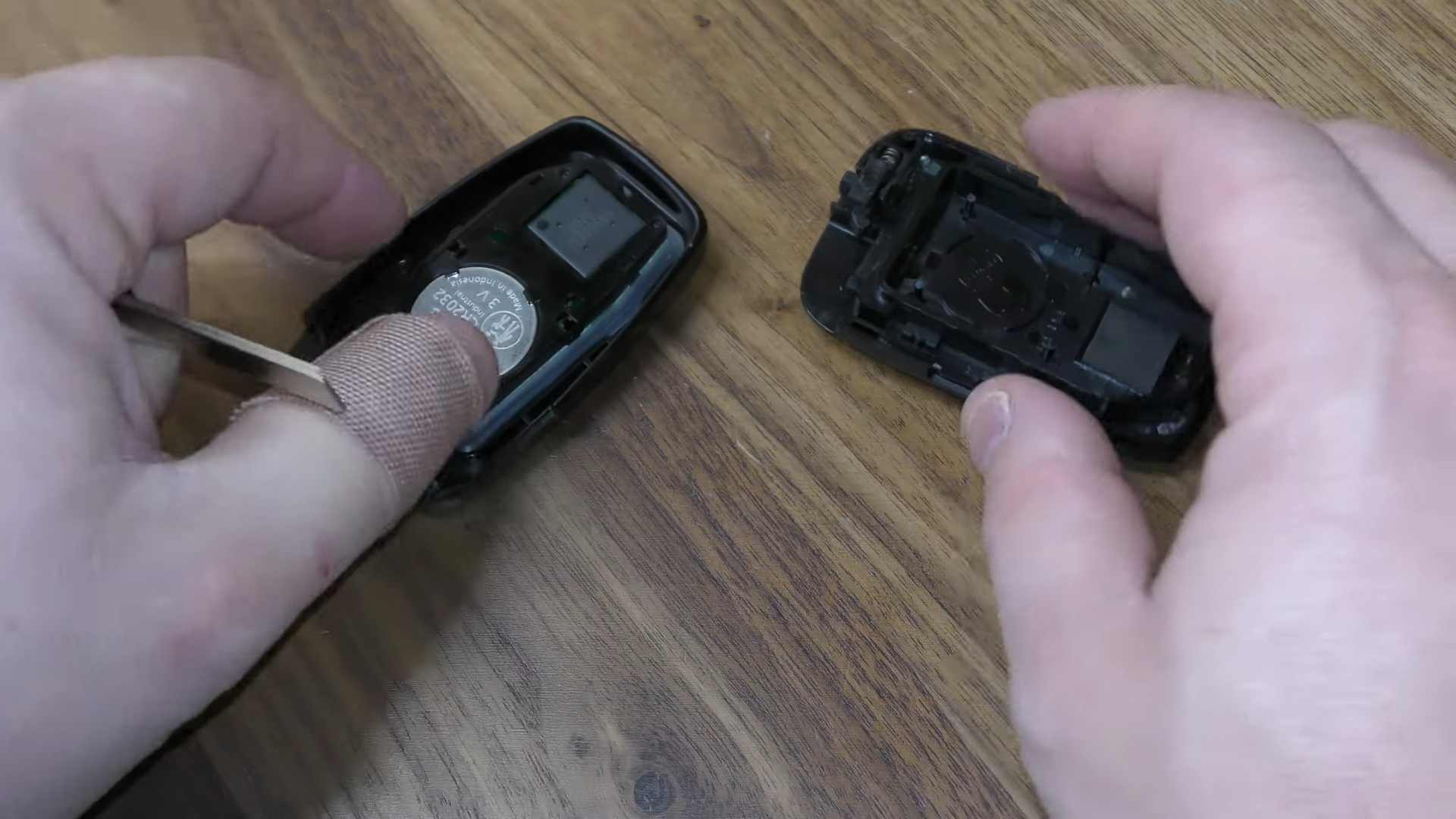
Insert a flathead screwdriver into the slot created after removing the mechanical key, or into the seam indicated by your key design.
Toyota advises covering the tip of the screwdriver with a rag to prevent case damage. Twist gently rather than forcing the tool in deeper. A gentle pry is usually enough to separate the shell halves.
Patience helps here. Many cracked fob shells come from rushing. The plastic clips are sturdy enough for normal service, but not built for aggressive prying.
Step 3: Remove The Old Battery
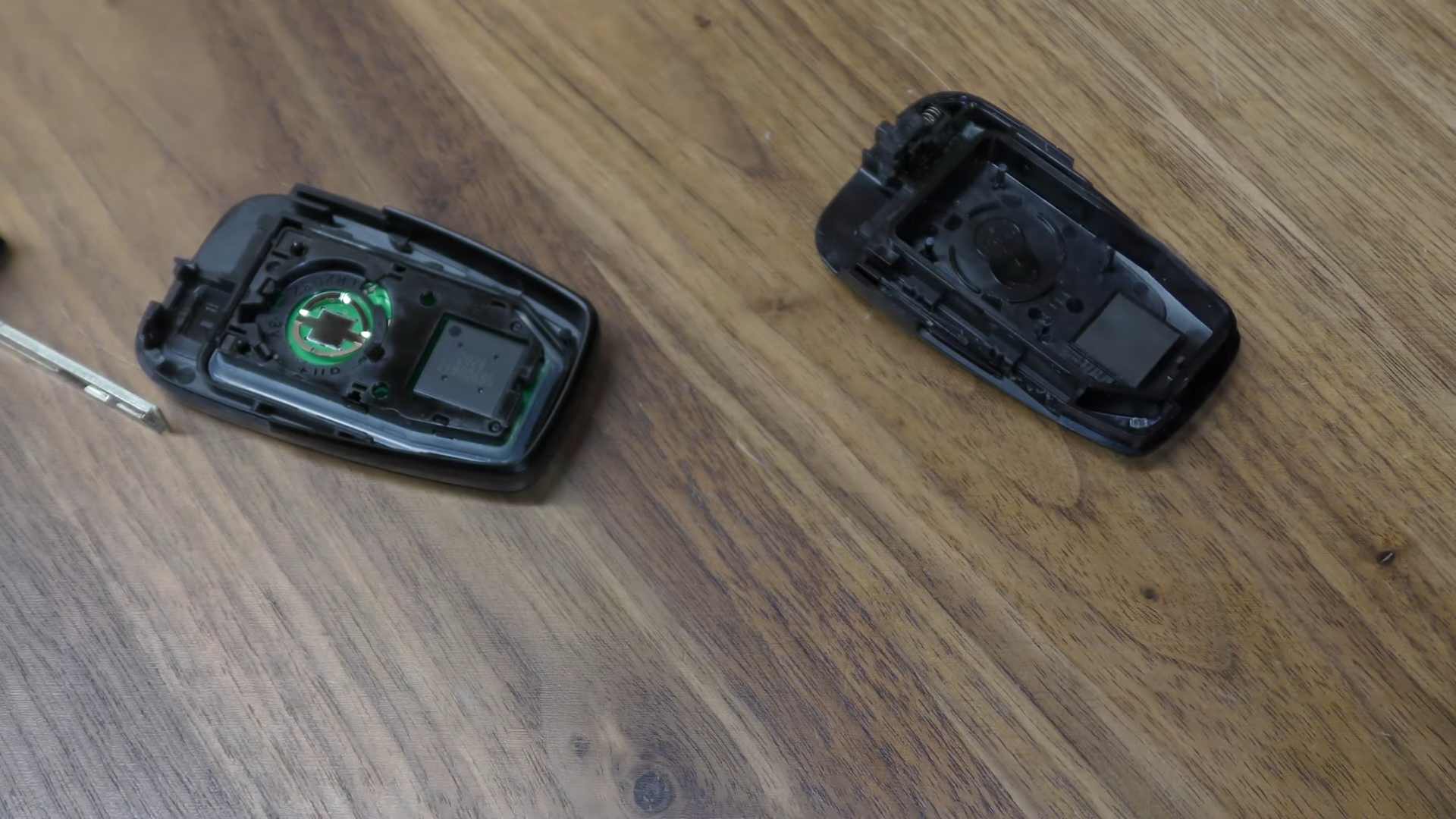
Once the case is open, locate the coin battery and lift it out with a small flathead screwdriver if needed.
Toyota’s instructions for smart key versions refer to removing the depleted battery and then installing the new one with the positive terminal facing up
Before tossing the old battery aside, read the marking on the face. A quick glance confirms whether the fob used CR2032 or another size.
Step 4: Install The New Battery With The Positive Side Up
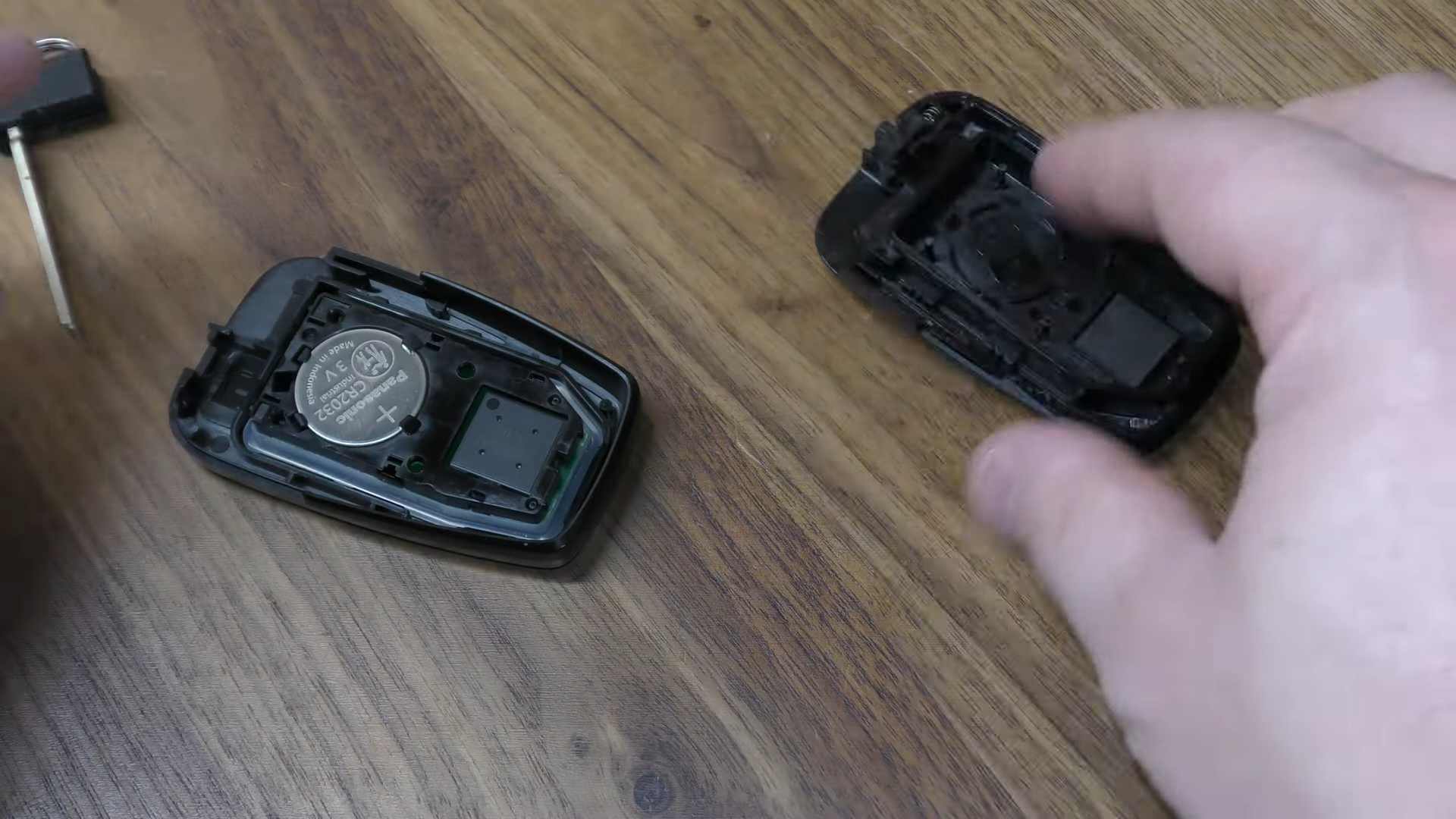
Place the new battery into position with the “+” terminal facing up, matching Toyota’s instructions.
Make sure the battery sits flat and fully under any retaining tabs. A battery that looks seated but sits a fraction too high can cause intermittent operation after reassembly.
Avoid touching the inside contacts more than necessary. Toyota also warns owners not to bend the battery terminals.
Step 5: Snap The Fob Back Together
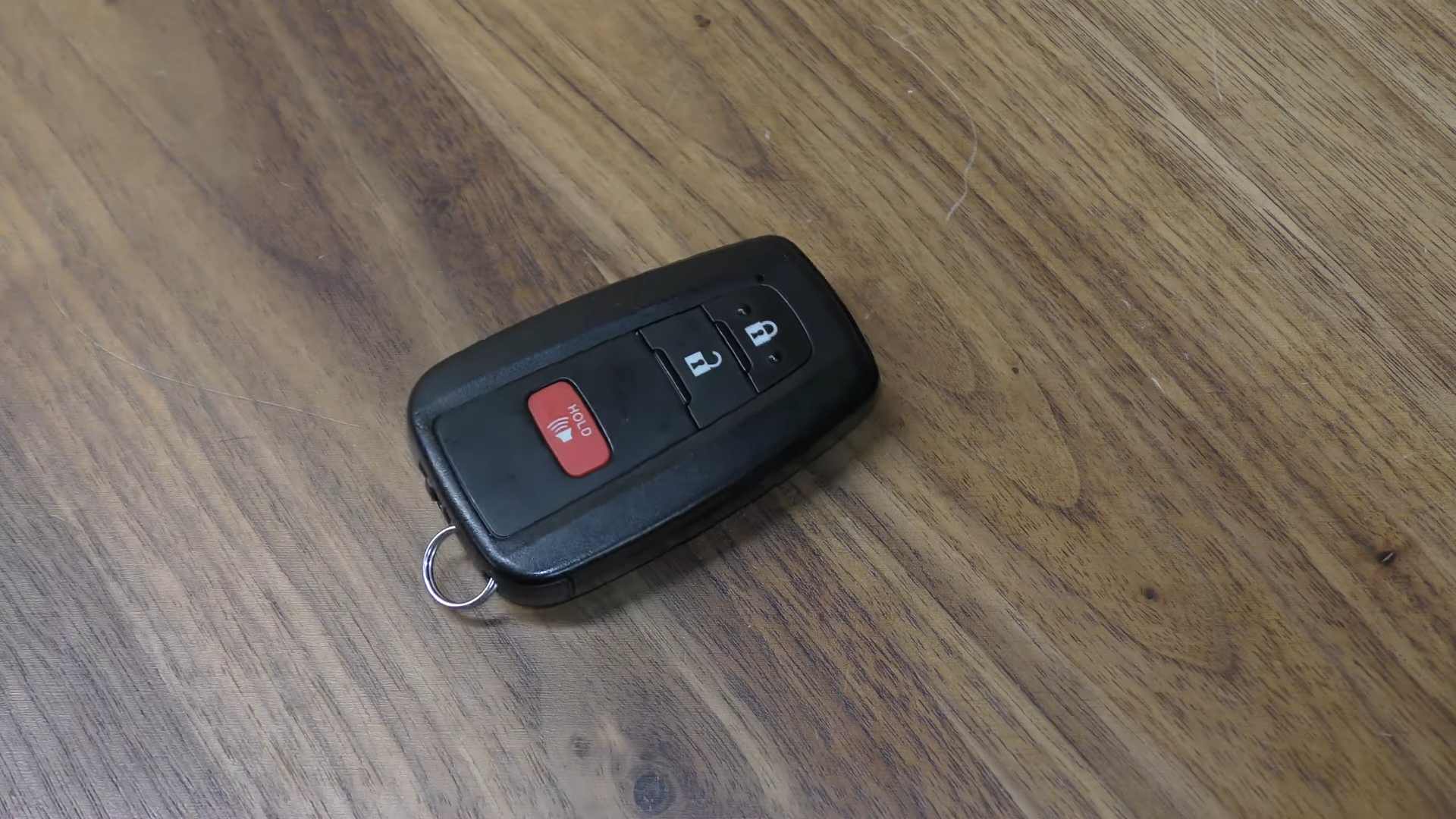
Press the shell halves together evenly until all clips close. Reinsert the mechanical key. Press the lock and unlock buttons once each.
If your fob has an LED, check for normal light output. Then test the car from a normal distance, not with the fob pressed against the handle. Toyota notes that reduced range is one of the signs of a weak battery, so restored range is a good practical check after replacement.
Step-By-Step: How To Change A Prius Non-Smart Key Battery
Older Prius-family keys without the smart key system follow a slightly different routine.
| Step | Instruction |
|---|---|
| Step 1: Remove The Cover | Toyota’s instructions say to remove the cover first, using a protected flathead screwdriver so the outer shell does not get marred. |
| Step 2: Remove The Module | After the outer cover comes off, remove the internal module. On some older Prius-family remotes, Toyota says to open the case cover using a coin protected with tape. |
| Step 3: Swap In The New Battery | Lift out the old CR2016 battery and install the replacement with the positive side facing up. Toyota’s manual language is very direct on orientation, and orientation matters. A reversed battery will leave the remote dead even though the swap looked successful. |
| Step 4: Reassemble And Test | Close the inner case, reinstall the module, snap the outer shell back into place, and test the buttons. If the car responds right away, the job is done. |
Common Mistakes That Cause Trouble
A Prius key battery swap is simple, but a few mistakes show up again and again.
| Mistake | Explanation |
|---|---|
| Buying The Wrong Battery | A lot of owners assume every Prius key uses CR2032. Toyota’s manuals show otherwise. Smart key versions commonly use CR2032, while certain non-smart key versions use CR2016. One digit off is enough to waste time and create a bad fit. |
| Installing The Battery Backward | Toyota specifies the positive terminal facing up for the Prius key battery procedures referenced above. If the fob stays dead after reassembly, battery orientation is one of the first things to check. |
| Bending The Internal Contacts | Toyota explicitly warns owners not to bend the battery terminals and not to touch or move other internal components unnecessarily. Bent contacts can create poor connection even with a fresh battery in place. |
| Opening The Case Too Aggressively | Plastic key shells are less forgiving than they look. A screwdriver used without a cloth or tape can gouge the housing, damage clips, or leave the case loose after reassembly. Toyota’s advice to protect the screwdriver tip is practical, not cosmetic. |
| Ignoring Child Safety | Toyota warns that removed batteries and small key parts can create a choking hazard if swallowed by a child. Coin cells also carry serious ingestion risk. Keep old and new batteries well away from children during the swap and dispose of used cells promptly according to local rules. |
What To Do If The Prius Still Does Not Recognize The Key
A fresh battery usually solves the problem, but not always. If the key still behaves oddly after replacement, work through a short checklist.
| Step | Explanation |
|---|---|
| Check Battery Seating And Orientation | Start with the simplest possibility. Open the fob again and confirm that the battery is fully seated and that the positive side faces up, matching Toyota’s instructions. |
| Try The Spare Key | If your spare fob works normally, the issue is probably inside the original key rather than in the car. A damaged shell, worn button membrane, or bent contact can cause trouble even with a new cell installed. |
| Rule Out Interference | Toyota notes that key function can be affected by nearby strong radio sources, metal objects, or certain electronics. If you tested the fob in a garage full of chargers, tools, and electronics, try again outdoors with the key in your hand by itself. |
| Use The Mechanical Key If Needed | Toyota says the mechanical key can be used when the electronic key battery is depleted or when the smart key system does not operate properly. Keeping that backup key in mind is useful during troubleshooting, especially when the car is locked and you need a quick way in. |
| Dealer Help May Be Needed | If a new battery does nothing, the problem may involve the fob electronics, key registration, or a vehicle-side smart key issue. Toyota manuals note that the number of registered smart keys can be confirmed by a dealer, and emergency procedures are available when the electronic key does not operate properly. |
A Realistic Example From Everyday Ownership
Picture a 2015 or 2016 Prius owner who notices the unlock button now works only from a few feet away instead of across the driveway. The door handle sensor feels inconsistent, but the car starts once the fob is inside the cabin.
That pattern lines up closely with Toyota’s battery-depletion signs: reduced detection area and weak remote performance before total failure. In a case like that, a CR2032 swap on a smart key fob is often the fix.
Now picture an older Prius-family remote without smart entry. An owner buys CR2032 batteries because a general internet search said “Prius key battery equals CR2032,” but the remote actually takes CR2016.
The shell will not close cleanly, or the battery does not fit right. Toyota’s manuals are more precise than a lot of generic advice, which is why checking the fob type saves time.
Tips To Make The New Battery Last Longer
Battery life depends partly on routine habits.
| Tip | Explanation |
|---|---|
| Keep The Key Away From Magnetic And Radio Sources At Home | Toyota warns against leaving the electronic key close to devices like TVs, personal computers, cordless phone chargers, and table lamps for long periods. A simple storage change can help. |
| Do Not Leave A Spare Key Too Close To The Car | Toyota notes that the electronic key can continue drawing power because it is always receiving radio waves, and some manuals also mention operation quirks when the key stays close to the vehicle for long periods. A spare key left near the garage wall beside the parked Prius may age faster than expected. |
| Replace Early Once Range Shrinks | Waiting until total failure can leave you dealing with the swap in a parking lot, during bad weather, or when you are already late. Once the fob starts acting weak, replacing the battery is cheap insurance. |
When A DIY Swap Makes Sense, And When It Does Not
For most owners, a Prius key battery swap is an easy home task. Toyota even places the instructions in the do-it-yourself maintenance section of owner manuals, alongside other routine owner service items.
- The fob case is cracked or water-damaged
- Buttons no longer click normally
- The spare key fails too
- A new battery changes nothing
- The car reports persistent smart key problems
At that point, the issue may be beyond a coin-cell replacement.
FAQs
Final Thoughts
Changing a Prius key battery is one of the simplest bits of car maintenance you can do yourself, but accuracy still matters. Match the battery to the fob type, open the case gently, install the new cell with the positive side up, and test the key before calling the job finished.
For most Prius owners, a 5-minute battery swap restores normal range and saves an unnecessary trip to the dealer.